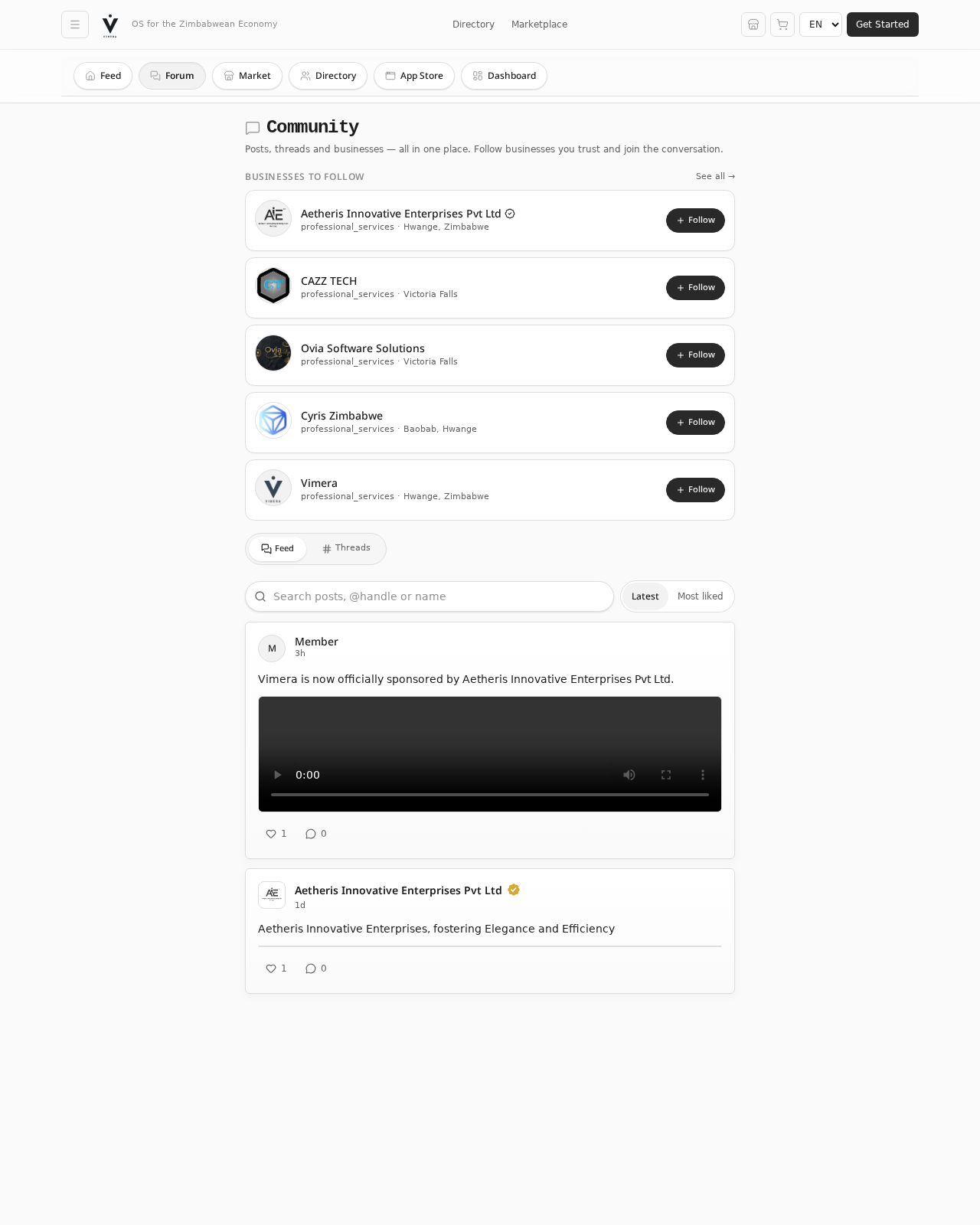
Published at: vimera.online Sponsored by: Aetheris Innovative Enterprises Pvt Ltd
What is Vimera
Vimera is Zimbabwe's first Unified Economic Operating System — one place to discover local businesses, shop from verified sellers, accept mobile money payments, manage your own business, and stay compliant with ZIMRA.
Instead of jumping between WhatsApp, Excel, a separate accounting app and a bank queue, everything lives on one screen. A single sale updates your ledger, wallet, stock count, customer record and tax totals — automatically.
Who it's for
- Shoppers who want to buy from verified Zimbabwean businesses
- Business owners — from a tuckshop in Mbare to a registered chain in Bulawayo
- Service providers — mechanics, couriers, creatives
- Communities following local commerce and asking questions in the forum
One identity. Every tool. Built for Zimbabwe.
Every registered business gets a verifiable Digital Business Identity, building real credit history from actual sales — unlocking micro-loans and supplier credit that used to be out of reach.
Getting Started
What you need
- A smartphone or computer with a modern browser (Chrome, Firefox, Safari, Edge)
- An email address or Google account
- An internet connection for setup — many things keep working offline once installed
No app store download is required. Just go to vimera.online.
First-time setup
- Visit vimera.online. The Home Feed loads immediately — browse posts, the marketplace and directory without signing in.
- Tap Get Started in the top right (or via the hamburger menu on mobile).
- Choose your account type:
- Personal — for shoppers, community members, forum participants
- Business — for owners who want to track sales, list products, accept payments, manage staff
- Sign up with email + password, or Continue with Google.
- Confirm your email via the link Vimera sends (check Spam if it doesn't arrive).
- Complete your profile — personal accounts land in My Vimera Portal; business accounts are guided through their Business Identity.
- Install Vimera as an app (recommended) — on Android Chrome: ⋮ → Add to Home Screen. On iPhone Safari: Share → Add to Home Screen.
The Public App
Anyone can use these sections without an account.
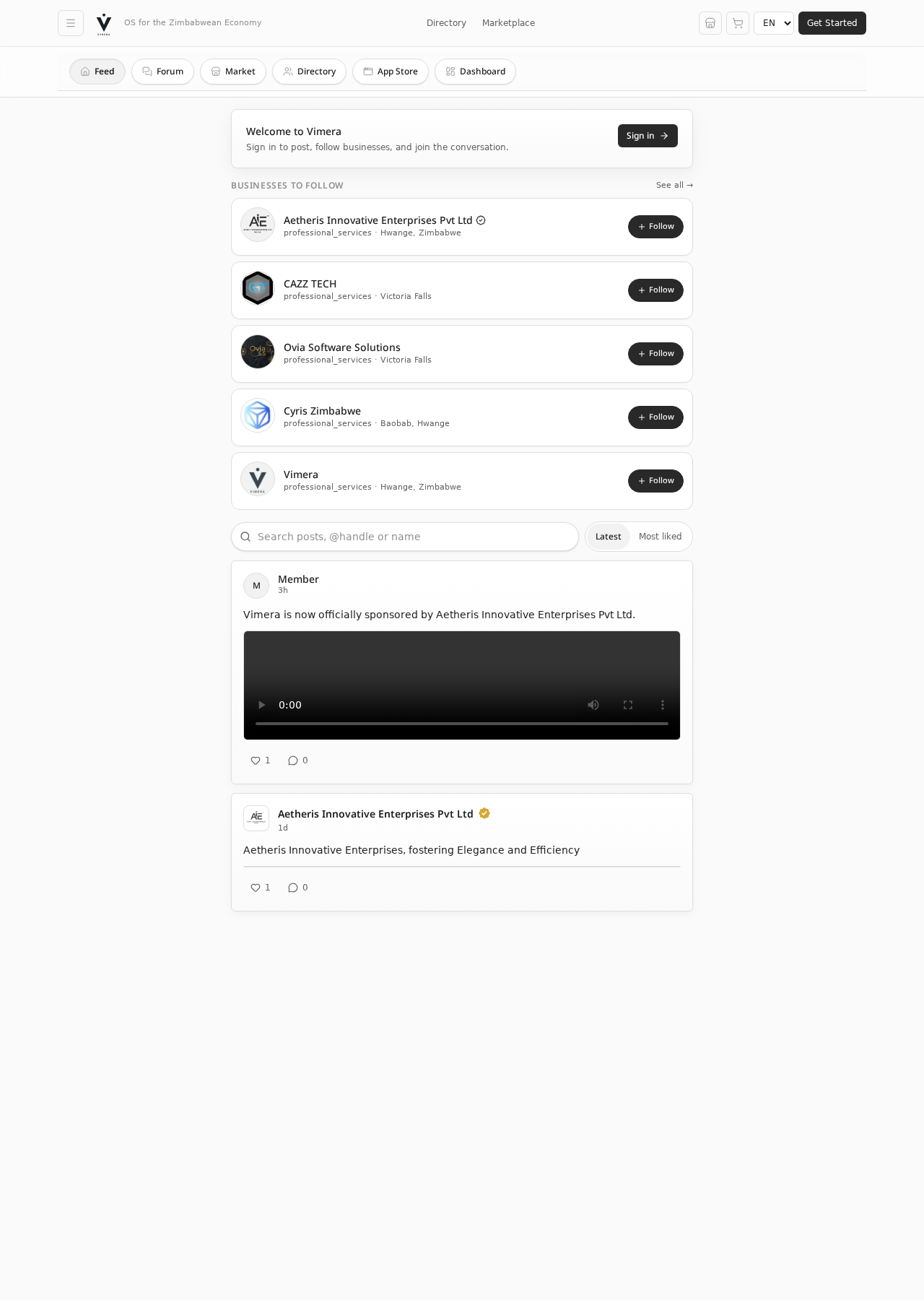
Home Feed
A live stream of posts from Zimbabwean businesses and the wider community.
- Switch between Latest and Most Liked
- Search for posts,
@handlesor business names - Follow businesses straight from the right-hand rail
- Sign in to post, like and comment
Community Forum
Structured Q&A and discussion for owners, traders and shoppers — organised by topic (finance, tax, logistics, suppliers). Read freely; sign in to ask or answer.
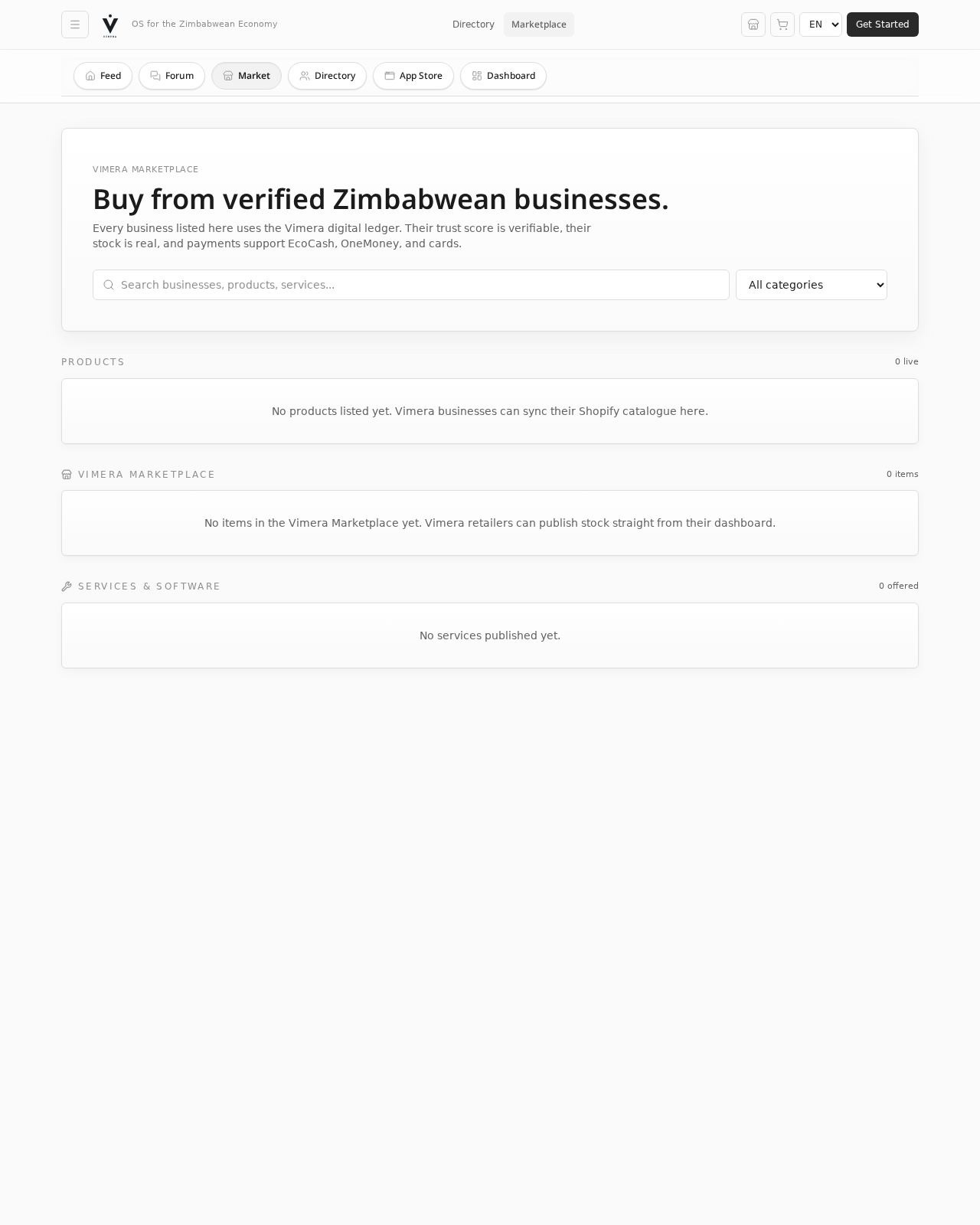
Marketplace
Buy products and services from verified Zimbabwean businesses.
- Browse by category, price or seller
- Add to your Vimera cart (the bag icon in the header)
- Pay via EcoCash, OneMoney, InnBucks or Paynow — or choose Cash-on-Delivery with escrow protection
- Track your order from the COD dashboard once you've signed in
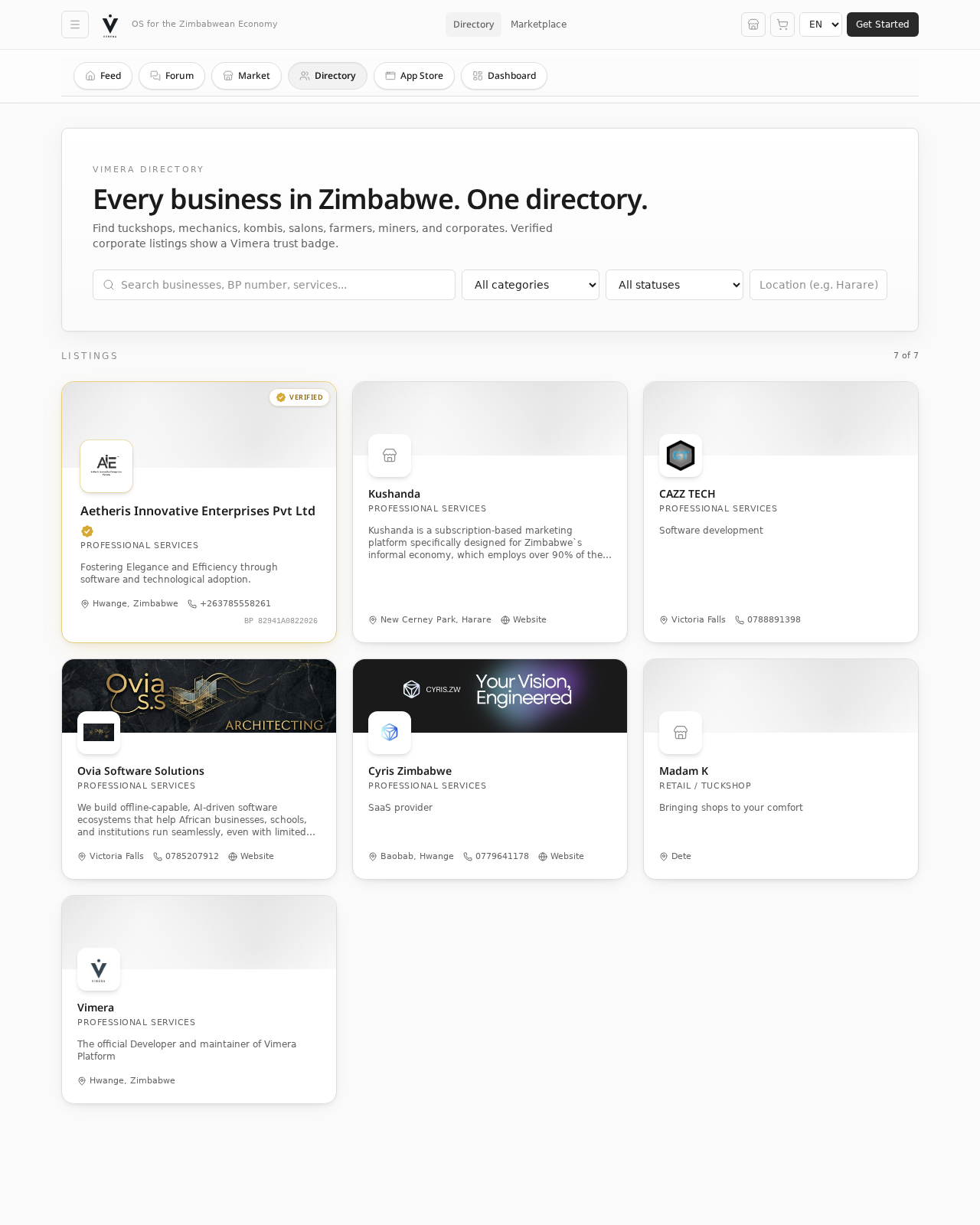
Business Directory
The live, verified Yellow Pages of Zimbabwe.
- Search by name, category or town
- Open any business profile for contact details, products, location and verification status
- Follow a business to see its posts in your feed
- Send a direct message from any profile
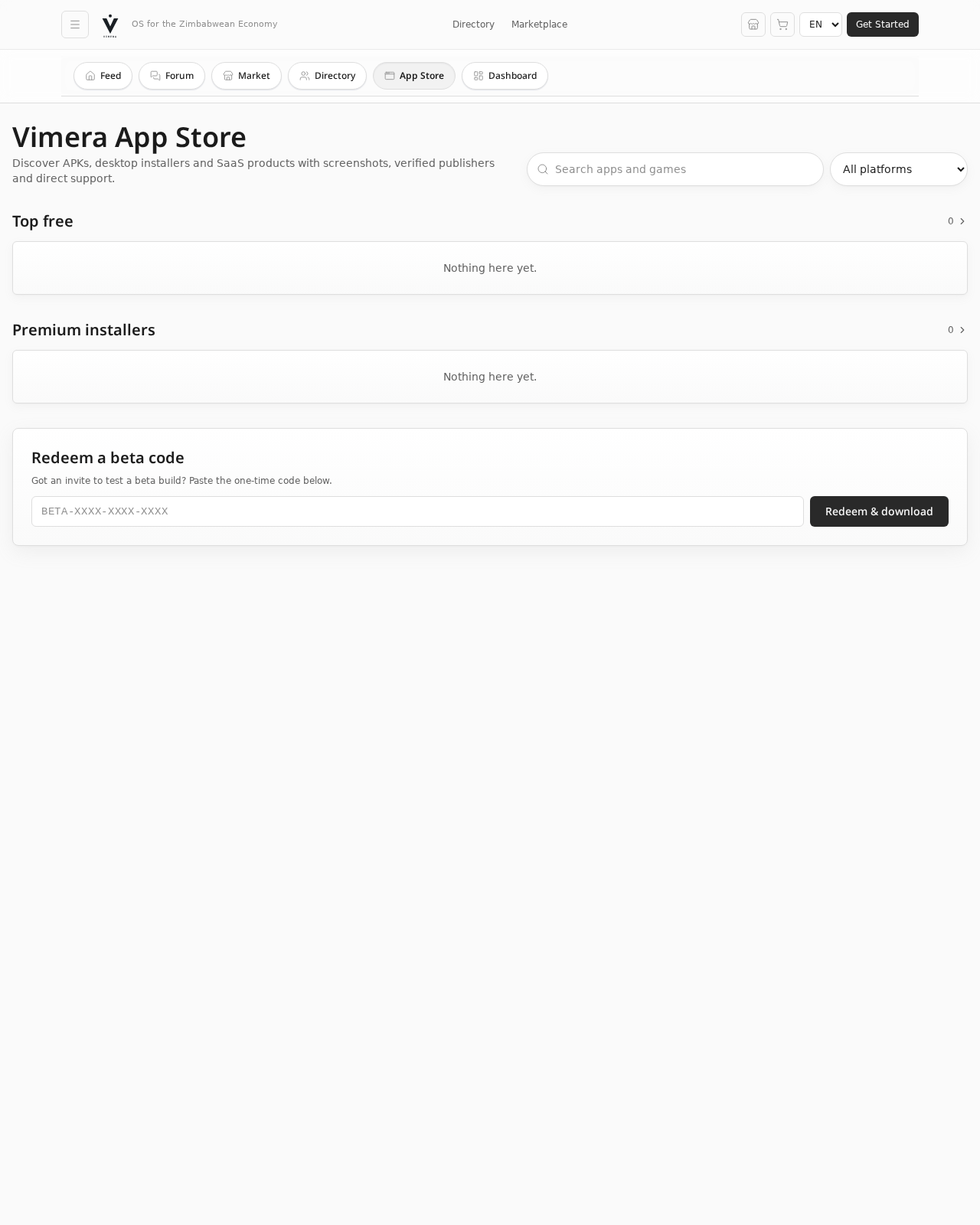
App Store
A curated library of third-party apps and SaaS tools that plug into Vimera — accounting helpers, HR, logistics, industry-specific tooling.
- Browse by category or platform
- Install APKs / desktop installers / SaaS modules
- Redeem a beta code to try early-access apps
- Rate apps after using them
Live Stats
A public, real-time dashboard showing how many users, businesses, products and services are live on Vimera, plus transaction volumes. Read-only, no sign-in.
About
A guided overview of every Vimera feature, the verification process, the module ecosystem, sponsorship and the roadmap.
Your Business on Vimera
These sections appear after you sign in with a Business account.
Business Dashboard
Your command centre. Everything below updates automatically from the sales and expenses you record.
- Wallet — current balance in USD and ZWG
- Sales at a glance — today and this month
- Credit Score — your Vimera tier, computed from real sales history
- Inventory alerts — items low in stock
- Business Health Ring — overall score out of 100
- Quick actions — record a sale, record an expense, add inventory
Business Manager
Deeper management for staff, roles, opening hours, contact info, locations and storefront settings.
Business Health Score
A clear, colour-coded score across five dimensions — sales momentum, cash position, customer mix, compliance and operational discipline — with plain-English suggestions to improve each one.
Cash Flow Forecast
A 30-, 60- and 90-day projection of money in and out, based on your recorded patterns. Spot a coming squeeze before it hits.
Budget Tracker
Set monthly budgets per category (stock, salaries, rent, utilities). Vimera tracks spend against budget and warns when you're close to the line.
People & Tasks
Lightweight team and task management — add staff, assign tasks, track completion.
Campaigns
Run promotions on your Marketplace listings and Feed posts. See impressions, clicks and conversions in one view.
Reports
Auto-generated, ZIMRA-friendly reports: sales summaries, profit-and-loss, stock movements, customer reports. Export as PDF.
Customers (CRM)
A single record per customer: orders, balances, messages and notes. Built from your sale history automatically.
COD — Cash-on-Delivery & Escrow
Manage Cash-on-Delivery orders end-to-end. Buyer pays cash to the courier; funds are held in escrow until the buyer confirms receipt.
Logistics & Spotlight Courier
Book pickups, track parcels, and integrate with Spotlight Courier (or your own driver). Status updates land in your dashboard and the buyer's order page.
Loans & Credit Scoring
Apply for micro-loans against your Vimera credit score. The score itself is computed from real sales data, so building it is as simple as recording sales.
Procurement
Manage purchase orders, track supplier balances and reconcile incoming stock.
Assets Register
Log fixed assets (vehicles, equipment, fittings), with depreciation tracking and resale value notes.
Compliance Hub
A live tracker for ZIMRA tax deadlines, RBZ regulations and Zimbabwe Cyber & Data Protection Act obligations. Save your registration types so the calendar only shows what matters to you.
Tax Engine
Live calculators for VAT, PAYE, NSSA, Presumptive Tax and ITF263 withholding — outputs formatted to match ZIMRA requirements.
Verification Centre
Apply for and manage your Vimera Verified status (the gold tick). Three tiers:
| Tier | What's verified | Badge |
|---|---|---|
| Basic | Email confirmed | — |
| Registered | Company registration / BP number submitted | "Registered" label |
| Verified Corporate | Full KYC + banking review | Gold shield tick |
Vimera AI Assistant
A built-in AI advisor that reads your dashboard data and answers plain-English questions — "What's my biggest expense this month?", "Which product made me the most money in May?".
Notifications & Messages
Real-time badges in the header. Notifications cover orders, mentions, follow alerts and compliance reminders. Messages are direct conversations with other businesses and shoppers.
Modules & Custom Modules
- SaaS Modules — third-party tools published into Vimera
- Service Provider Modules — bookings and job cards for mechanics, electricians, tailors, etc.
- Custom Modules — a no-code builder that lets you create your own forms (daily stock count, delivery log, intake questionnaire) without writing code
Settings
Manage your account, business identity, connected payment accounts (EcoCash / OneMoney / InnBucks numbers), language, notification preferences and security.
Payments & Mobile Money
Vimera supports the payment methods Zimbabweans actually use:
- EcoCash — USSD push to your phone
- OneMoney — USSD push
- InnBucks — merchant account linking
- Paynow — card and bank flows
Customer payments land directly in your own mobile-money wallet — Vimera only routes a small platform fee. Nothing sits in a Vimera-held balance.
Languages & Offline
- English, Shona and Ndebele — switch live from the header
- Progressive Web App — install on Android or iPhone like a native app
- Offline mode — reads from a local cache and queues writes until you're back online
Roles & Permissions
Inside a business account, the owner can add team members with scoped access.
| Role | What they can do |
|---|---|
| Owner | Everything, including verification and payment-account setup |
| Manager | Daily operations — sales, inventory, customers, reports |
| Staff | Record sales and expenses, view their own tasks |
| Read-only | View reports and dashboard, no edits |
Personal account holders only ever see and edit their own data.
Troubleshooting & FAQ
My EcoCash USSD push didn't arrive. Check that your phone has signal and that the EcoCash number on file matches your SIM. Retry from the order page after 30 seconds — duplicate charges are blocked automatically.
I forgot my password. On the sign-in screen, tap Forgot password?. A reset link will be emailed to you.
How do I become Verified? Open the Verification Centre, choose your tier, and submit the required documents (BP number for Registered; KYC + banking for Verified Corporate). The Vimera team usually reviews within 2–3 business days.
Where do my payments go? Straight into your own mobile-money wallet. Vimera does not hold customer funds.
Can I use Vimera without internet? Yes — once installed as a PWA, you can keep reading and recording. Writes sync automatically when you reconnect.
How do I delete a post? Tap the three-dot menu on your own post and choose Delete.
Who do I contact for help? Send a message from the Messages tab to the official Vimera business profile, or open a thread in the Forum under Support.